If your retrofit just threw an error 21 or 30 on the color display, here is how to diagnose Bafang controller error codes on mid drive conversion in a way that actually isolates the fault instead of guessing. Bafang BBS02, BBSHD, M500, M510, M600 and M620 controllers all emit a two-digit fault code on the DPC display or Bafang Go app whenever the firmware detects a sensor mismatch, voltage anomaly, brake input, or hall fault. The diagnostic flow is the same: read the code, isolate the harness branch it points at, verify with a multimeter or app log, then reseat, reflash, or replace. This 2026 guide walks the full sequence.
Why mid-drive conversions throw codes more often than factory ebikes
Factory Bafang builds (Aventon, Frey, Bulls) ship with a wiring loom that is keyed, sealed, and routed by the OEM. A conversion is the opposite: you are mating a Bafang motor to a frame it was never designed for, splicing brake cutoffs into hydraulic levers that may or may not have magnets, running a speed sensor along an aftermarket chainstay, and trusting a 52V triangle battery whose BMS handshake was never validated against the controller you bought. Every one of those interfaces is a future error code. Knowing the family of fault before you open the motor saves an hour each time.
The best how to diagnose bafang controller error codes on mid drive conversion for your situation depends on how you plan to use it and where.
![Lamicall Bike Frame Bag Waterproof - [1s Release] [2 in 1] Bike Phone Mount Holder, Bicycle Top Tube Bag, Cycling Pouch with Rain Cover, Bikes Accessories Gifts for Phones Under 7"](https://ebikeroo.com/aimg/images/I/71VKkKd2xtL._AC_SX679_.jpg)
The most common conversion-specific failure modes in 2026 are: brake-cutoff phantom triggers from generic ebrake sensors, speed sensor magnet drift on suspension frames, throttle Hall faults from cheap thumb throttles, and undervoltage trips on 48V batteries sagging under load. Each maps to a specific Bafang code.
Bafang error code quick-reference (2026 firmware)
Codes are consistent across BBS02B, BBSHD, M500, M510, M600, M620 and the newer M820. The DPC-18, DP C18, 850C, 860C, 750C and SW102 displays all show the two-digit number in the upper area when a fault latches.
| Code | Meaning | Most likely root cause on a conversion |
|---|---|---|
| 03 / 04 | Brake input active | Aftermarket ebrake sensor magnet too close, or cable pinched |
| 07 | High voltage protection | 52V battery on a 48V-only controller, or regen spike |
| 08 | Hall sensor fault | Motor hall wire pinched at bottom bracket clamp |
| 09 | Phase wire fault | Loose phase connector, motor wound short |
| 10 | Controller over-temp | Heat soak in plastic battery cover, no airflow |
| 11 | Throttle signal fault | Throttle Hall failed, wrong voltage range (1-4V expected) |
| 12 | Current sensor fault | Controller MOSFET damage, usually after a hard stall |
| 13 | Temperature sensor fault | NTC inside motor disconnected |
| 21 | Speed sensor fault | Magnet misaligned on chainring or PAS disc |
| 22 / 23 / 24 | Communication error | Display cable damaged, wrong protocol (UART vs CAN) |
| 25 | Torque sensor signal fault | Mid-drive on a frame that bends the BB shell under load |
| 30 | Communication lost (display) | Higo connector water ingress, bent pin |
The diagnostic sequence — read, isolate, verify, fix
Before you unbolt anything, follow this order. It is the same flow Bafang techs use and it will save you from chasing the wrong harness branch.
Step 1: Capture the code with the Bafang Go app
Plug the BESST Pro tool or pair the Bafang Go Bluetooth dongle to your phone. The app logs the live error stream including which subsystem fired and the voltage at fault time. This is far more useful than reading the display, which only shows the last latched code. Mount the phone on the bars so you can ride the bike during diagnosis — a phantom error 21 only shows up at 18 mph when the magnet drifts.
Step 2: Power-cycle and re-test
Many conversion errors are one-shot: a brake glitch at startup, a momentary undervoltage. If the code does not return after a full battery disconnect and 30-second wait, log it and ride. If it returns, move to step 3.
Step 3: Isolate by disconnection
Unplug peripherals one at a time at the Y-cable: brake levers, throttle, gear sensor, lights. If the code disappears, you have found the branch. Reconnect each in turn until it returns. This 5-minute test is the single highest-value step in the entire process and most DIY guides skip it.
Step 4: Multimeter the suspect branch
For a Hall fault (code 08) you are looking for 4.7-5.1V on the red wire and clean square waves on the three signal lines when you spin the crank. For a throttle fault (code 11) you want 0.8-1.0V at rest, 3.6-4.2V at full twist. For a speed sensor (code 21) the signal should pulse from 0V to 5V once per magnet pass.
Step 5: Reflash before you replace
Bafang ships controllers with generic firmware that often does not match your battery voltage or motor wind. Use the BESST tool (or the open-source Penoff utility) to flash the correct firmware for your kit before you spend $180 on a new controller. Many code 07, 09 and 12 reports vanish after a correct reflash.
Walking the most common conversion codes
Error 08 — hall sensor fault
On a BBSHD or BBS02 conversion this is almost always the small black sensor cable getting pinched between the motor housing and the bottom bracket clamp plate when you torqued the lock ring. Drop the motor 5 mm, route the cable through the relief slot, and re-tighten. If the code persists, ohm out the three hall signal wires to the motor's PCB — a reading above 1 kΩ to ground on any line means a dead hall and you need a sensor pack swap (about $25).
Error 21 — speed sensor fault
Mid-drive conversions on full-suspension frames suffer from this because the chainstay flexes under power and the spoke magnet swings out of the sensor's 8-15 mm detection range. Move the sensor to the disc rotor bolts and use a rotor magnet kit; the rotor is closer to the bottom bracket and far more rigid. See our speed sensor magnet mount guide for proven mounting positions.
Error 25 — torque sensor fault
This is the M500/M600/M620 family screaming that the bottom bracket shell is flexing beyond the torque sensor's tolerance. Steel frames almost never throw it; aluminum touring frames with long, thin BB shells throw it constantly. The fix is either a BB shell reinforcement plate or accepting the limit and dialing assist back to level 3. There is no firmware patch.
Error 30 — display communication lost
Higo connectors are not as waterproof as the marketing implies. After two wet rides the green-yellow-blue pins corrode and the display loses handshake. Pull the connector, spray DeoxIT D5, repack with dielectric grease, and wrap in self-amalgamating tape. This is the single most common code on conversions ridden in rain.
Gear you actually want at the bench and on the test ride
You cannot diagnose what you cannot ride. Half of these codes only appear above 15 mph or under load. Mount your phone, keep tires at correct pressure, and carry the kit you need to roll home if the test ride strands you.
Lamicall Bike Phone Holder
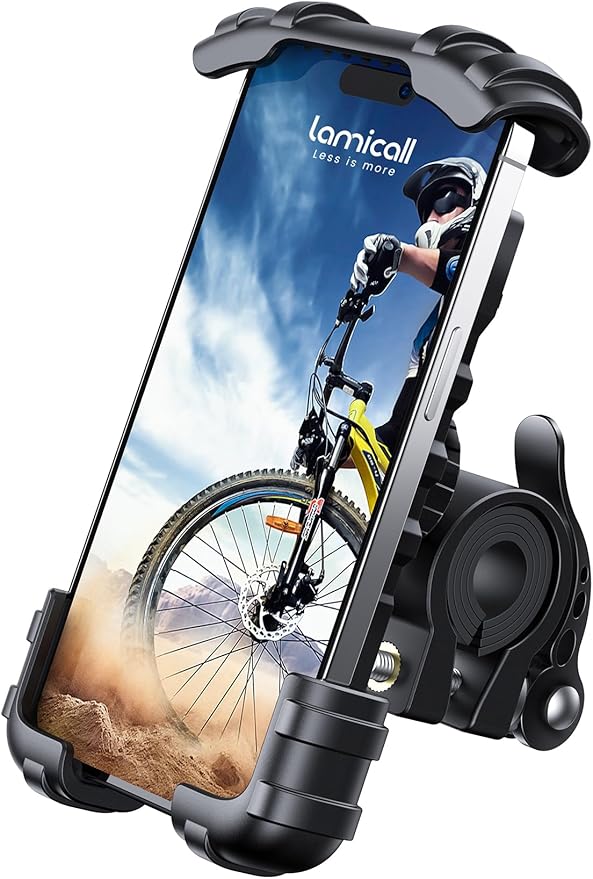
For watching the Bafang Go app live-log codes during a test ride, you need a mount that will not shake the phone off when you hit a pothole at 22 mph. The Lamicall aluminum bar mount uses a four-corner silicone clamp that holds phones up to 6.8 inches and survives full-suspension chatter. Set the Bafang Go app to the diagnostic screen, ride the loop where the fault appears, and replay the log when you get back. Lamicall Bike Phone Holder on Amazon
Lamicall Waterproof Bike Frame Bag with Phone Mount
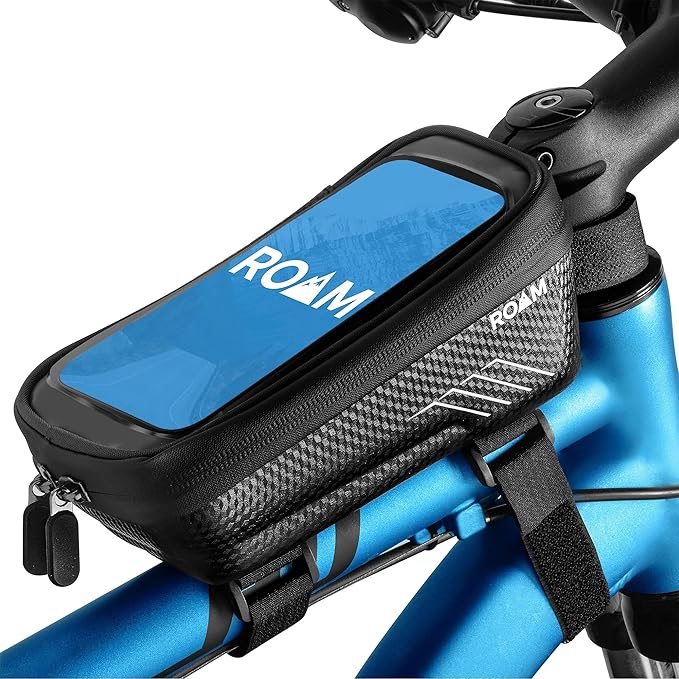
If your conversion lives outdoors and you want the phone protected from rain while you log codes on a wet-weather diagnostic ride (chasing that intermittent error 30), this 2-in-1 top-tube bag holds the phone behind a clear waterproof window and gives you space for the BESST cable, multimeter probes, and a spare Higo. Lamicall Waterproof Frame Bag on Amazon
Roam Universal Bike Phone Holder + Waterproof Case
For riders who want the phone sealed against road spray on every ride, not just diagnostic days, the Roam case mounts on bars or stem and protects the screen from rain while still allowing touch input. Useful when you are tracking down an intermittent display dropout that only happens after a 30-minute soak. Roam Universal Holder on Amazon
Airmoto Portable Tire Inflator
Low tire pressure can produce a phantom error 21 because the wheel rotates slightly slower than the firmware expects relative to motor RPM, throwing the speed-vs-cadence sanity check. Before you tear into the harness, confirm tires are at spec. The Airmoto runs off its own battery, hits 120 PSI, and lives in a jersey pocket. Airmoto on Amazon
Phone-mount and inflator comparison for diagnostic rides
| Product | Best for | Waterproof | Phone size |
|---|---|---|---|
| Lamicall Bar Mount | Dry-weather log capture | No (phone exposed) | Up to 6.8" |
| Lamicall Frame Bag 2-in-1 | Wet rides + tool storage | Yes (clear window) | Up to 7.0" |
| Roam Universal Case | Daily commute + diagnosis | Yes (sealed case) | Up to 6.5" |
| Airmoto Inflator | Pre-ride tire check | Splash-resistant | n/a — 120 PSI |
When to reflash vs replace the controller
If the code is in the 07-12 range and a clean reflash with the BESST tool does not fix it, you almost certainly have a hardware fault in the controller PCB — usually a blown phase MOSFET from a stalled startup at full throttle. Replacement controllers for the BBSHD and BBS02 run $140-180 from authorized resellers in 2026. M500 and M600 controllers are integrated into the motor and require a full motor swap or a board-level repair by a Bafang service center. For deeper background on which kit handles repeated reflashes best, see our BBSHD vs BBS02 conversion comparison.
If the code is 21, 25, or 30, the controller is fine — the fault is in the loom, sensor, or mechanical interface. Throwing money at a new controller for these will not fix anything and will simply produce the same code again on the same ride. Walk the checklist.
Frequently Asked Questions
What does Bafang error 30 mean on a mid-drive conversion and how do I fix it?
Error 30 means the display has lost serial communication with the controller. On conversions it is almost always corrosion or a bent pin in the Higo connector at the motor. Disconnect, inspect for green oxidation on the brass pins, clean with contact cleaner, repack with dielectric grease, and reconnect. If the code persists, swap the display cable — they cost about $18 and fail more often than the display itself.
Why does my BBSHD throw error 21 only when I pedal hard?
Error 21 under load is a classic symptom of speed sensor magnet drift. As you put torque through the drivetrain, the chainstay flexes and the spoke magnet swings outside the sensor's detection window. Either move the magnet closer to the sensor (target 5-8 mm gap), or relocate the sensor to a more rigid mounting point such as the seatstay bridge or the disc rotor.
Can I diagnose Bafang error codes without the BESST tool?
Yes for read-only diagnosis. The Bafang Go app over Bluetooth (with the official dongle) will read live codes and log faults. The BESST Pro is only required for firmware flashing and parameter changes. If you only need to identify the fault, save the $90 and use the app.
What causes Bafang error 07 on a 52V battery?
Error 07 is high-voltage protection tripping. A fresh 52V (14S) pack peaks at 58.8V, which exceeds the cutoff threshold on controllers flashed with the default 48V firmware. Reflash the controller with a 52V profile (LVC raised to 41V, HVC raised to 60V) and the code will not return. Do not run a 52V pack on default 48V firmware.
Is error 08 always a dead hall sensor?
No. About 70 percent of error 08 reports on conversions are wiring faults — pinched hall cables, loose JST connectors, or moisture intrusion at the motor exit. Always check continuity and connector seating before ordering a replacement hall pack. Use the disconnection test in the diagnostic sequence above to confirm.
How long should a Bafang controller last on a mid-drive conversion?
With a correctly flashed firmware, a 25A current limit, and an unstressed harness, a BBSHD controller typically runs 5,000-8,000 miles before MOSFET fatigue. Riders who push 30A+ and frequently stall the motor from a standstill see failures at 2,000 miles. Heat management and avoiding wheelies from a dead stop are the two biggest longevity factors.
Does the Bafang Go app work with the M620 Ultra controller?
Yes as of the 2026 firmware release. The app reads live codes, voltage, current, cadence and temperature from M500, M510, M600, M620 and M820 controllers over the Bluetooth dongle. It will not, however, change firmware parameters on the Ultra — that still requires the BESST Pro with the M-series cable. See our M620 Ultra tuning guide for parameter walk-throughs.
Key Takeaways
- Choosing the right how to diagnose bafang controller error codes on mid drive conversion means matching capacity and output ports to your actual devices
- Always check actual watt-hours (Wh), not just watts — runtime depends on Wh, not peak output
- Also covers: bafang error code 30
- Also covers: bafang bbs02 troubleshooting
- Also covers: bafang display error meanings
- Compare price-per-Wh across models to find the best value for your budget